This plugin allows you to export images with different text from a string list. For each line in the list, you can change the content of the image’s text layers using variables defined in the layer itself or the layer name.
We can also display hidden layers by adding the name of the layer to be shown to the line; the layer name must begin with the prefix “lay”—for example, “layGreen”. This allows for the creation of ID badges, personalized cards featuring the company logo, and so on.
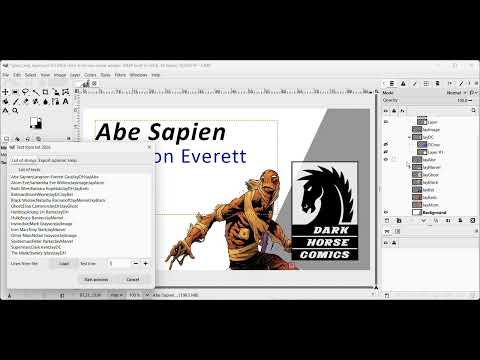
Sample of handle layers visibility from the list
Format of the list
The list has the same structure as a CSV with a column separator ; (semicolon).
A valid sample of list could be this:
In this example, we define a list of eleven rows and two columns. Internally, the plugin processes it as follows:
The content of text layers named “tx” followed by a column number will be replaced with the content of that column. For example, the text layer named tx1 will be replaced with “Superman,” “Clark Kent,” etc., for each export, and the text layers named tx2 will be replaced with the content of the second column (e.g., “Lois Lane”).
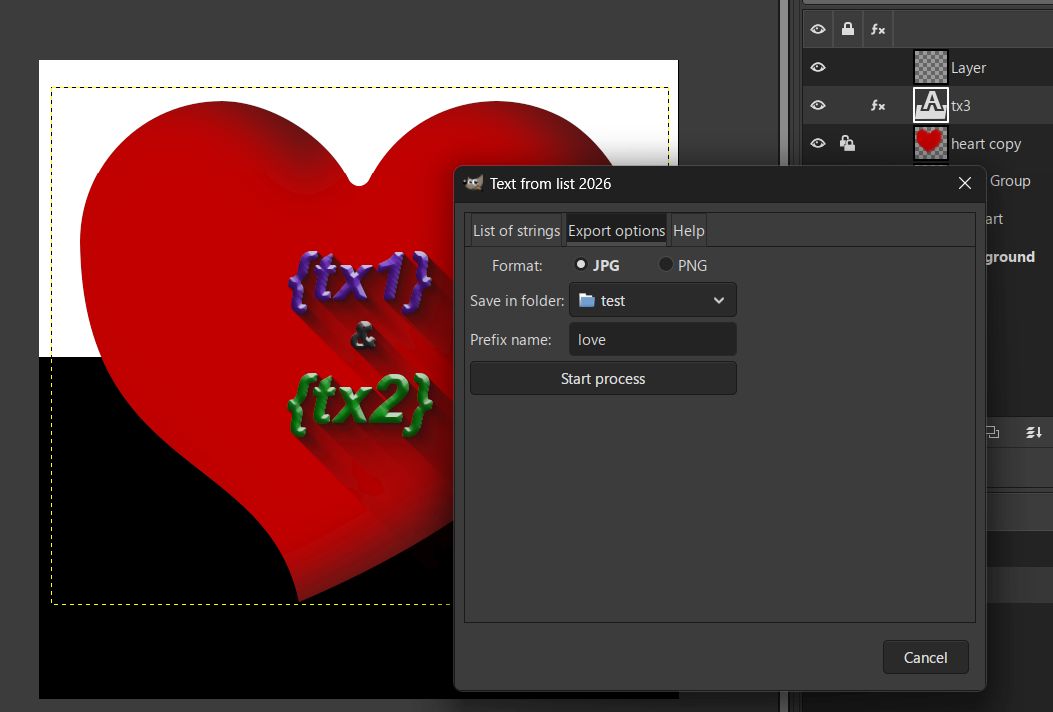
If a text layer contains multiple lines of text, we will use variables within the layer, using the column name enclosed in curly braces ({}), for example ({tx1}, {tx2}, etc.).
For each line in the list, we will export the image with the replaced text in the format, folder, and filenames selected in the Export Options tab.
Sample video

Updates
- 2026-07-10: Fixes an error with the regular expresion that ignores some variables.
Cleaned unused folders and files.
New option for preview lines before export writing the line number to preview.
- 2026-06-20: Fixes two errors: a callback executed before a label is added to the interface in saved files and the handling of text layers with and without markup
- 2026-06-19: It forces you to choose the destination directory if you’re not working with a saved image. By default, it uses the current image folder and the image name as a prefix for exported images.
Download
Previous versions