Blender python Addon: Box from corners

The Box from corners add-on lets you create boxes from the coordinates of their two opposite corners. You can enter the coordinates manually or derive them from the bounding box of any mesh in the scene. This tool lets you choose the resulting object’s edge style from the following options:
  • Bevel edges
  • Crop corners
  • Deflate faces
  • Deflate regular
  • Inscribed octahedron
  • Rounded edges
  • Separate faces
  • Sunken edges
Some of these options can be used to produce the inverse effect. Once installed and enabled, you can access the add-on from the 3D Viewport menu Add > Mesh > Box from corners, or from the sidebar (View > Sidebar — press N) under the Misc tab.

Demonstration video

Watch the plugin in action in the demonstration video below:

Installation

  1. Download the .zip file from this page.
  2. In Blender go to Edit > Preferences > Add-ons > Install.
  3. Select the downloaded file and enable the add-on.

Download

Download the add-on (arakne_meshes)

New Blender Addon: Instant Merge without choosing a type

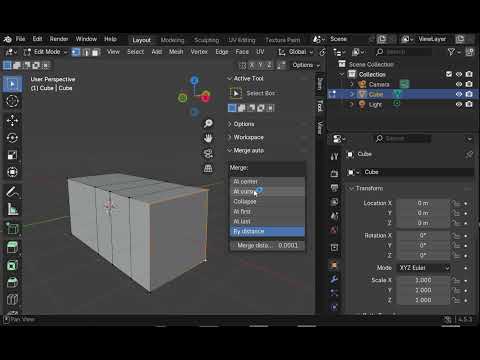
If you use Blender often, you know how repetitive it can be to merge vertices. Every time you press the shortcut M, Blender asks which type of merge you want — At Center, At Last, At First, By Distance, etc. Now there’s a simple add-on that eliminates that extra step. With this new tool, you can merge selected vertices instantly, without needing to choose the merge type each time. By default, the add-on merges vertices at the center of the selection — ideal for quick modeling workflows where precision and speed matter most.

Key Features

  • Instant vertex merging with a single shortcut.
  • No popup menu interruption.
  • Customizable merge behavior (center, last, or first).
  • Compatible with Blender 3.x and 4.x.
This small but powerful tool saves precious seconds during modeling, making your workflow smoother and faster.

How to Install

  1. Download the .zip file from the developer’s page.
  2. In Blender, go to Edit → Preferences → Add-ons → Install.
  3. Select the downloaded file and activate it.
  4. You can now merge vertices instantly using your preferred shortcut!
Perfect for artists who value efficiency and want to spend more time modeling and less time navigating menus.

Updates

2026-01-12 – Modified so that the panel only appears when in mesh editing mode
Download

mergeauto_2026_01_12

Older versions

blender_merge_auto

Gimp plugin: shape creator 2025

New version of the plugin for creating paths in GIMP, updated for GIMP 3 with GTK3. The changes make it incompatible with the previous version. This extension allows you to generate paths based on the dimensions of the selected area in the image by entering just a few parameters. These paths can then be used as selections, filled, or stroked.

Installation

This version is not compatible with the previous one. You must delete the shapes folder and the arakne-path-shape-creatorX.py file. More information in this post: http://www.arakne.es/diseno/gimp-scripts-python-donde-instalarlos/

Download

path-shape-creator-2025

Gimp Plugin: Admin Guides

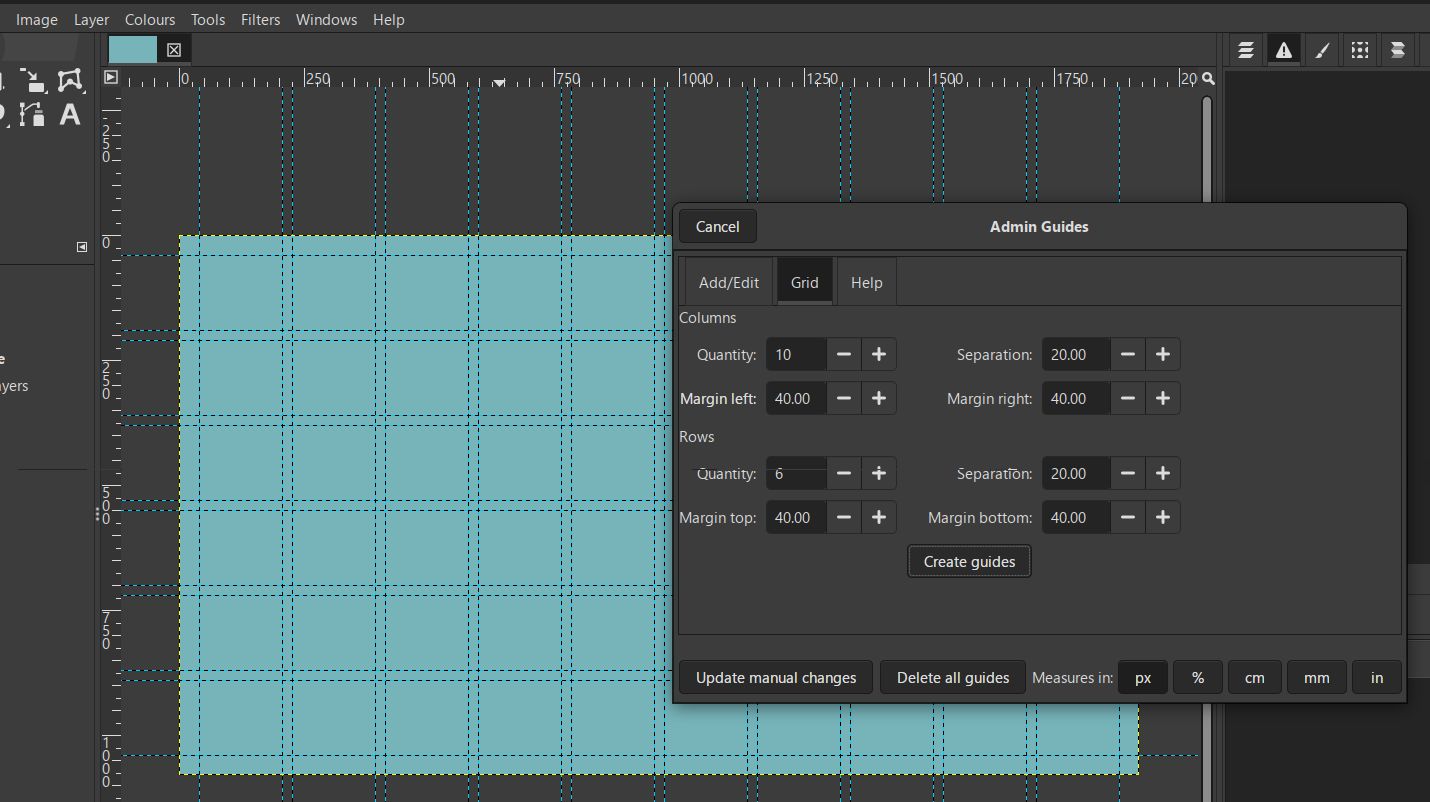
Update for Gimp 3 of the Guides Lab plugin. This new version includes the option to repeat guides at the specified distance. 2026-02-16 Updated for accept negative values. The current version of Gimp allows you to add guides outside the canvas. Thanks to Rich2005 for the info.

Usage example

Changes history

  • 2026-06-11 Fixed error in Linux
  • 2026-06-10 New option for create grids of guides from the number of columns and rows and the separation between.

Download

arakne-guides-lab-2026-06-11

Older versions

Inkscape extension: Shapes from nodes

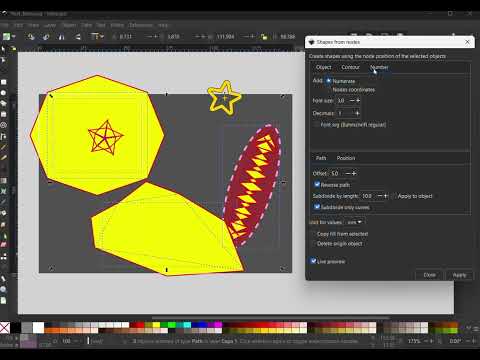
Shapes from nodes is a powerful Inkscape extension written in Python that extends the functionality of paths. Features include:
  • Create custom shapes at each node of selected paths.
  • Subdivide paths into segments of user-defined length.
  • Generate foldable tabs for papercraft and design projects.
  • Number path nodes or display their coordinates directly on the canvas.
Perfect for designers needing precision control over paths, technical illustrations, and creative workflows.

Video

Download

arakne_shapes_from_nodes  

Inkscape plugin: Shape Creator from the bounding box

🚀 Shape Creator is a powerful Inkscape extension developed in Python that allows you to generate shapes based on the bounding box of selected elements. Perfect for streamlining your workflow and improving precision in vector design.

✨ Features

  • Automatically creates shapes using the bounding box of selected objects.
  • Supports different shape styles and transformations.
  • Enhances precision and efficiency in vector design.
  • Fully integrated with Inkscape for a seamless experience.
🎯 Perfect for designers working with Cricut, laser cutting and digital illustration. Sample of which allows you to easily create tabs for clipping templates, and the Reverse path option, which reverses the direction in which the nodes are created, useful for Tabs and Numerate nodes

What’s New

  • New shapes from corners: Rounded rhombus and rounded cross.
  • Arrows: Choose the direction they point and the option to add tips on both ends.

Download

shapes_from_bb

Inkscape extension: Arches

Arches was part of the Shapes plugin, now it has been separated from the original extension to facilitate the implementation of new features and to fix bugs. New features include a new arch type, Keyhole, and the option to display errors in the document itself instead of in pop-ups.

Download

arakne_arches_1

Inkscape extension Join circles

Join circles has been extracted from the Shapes extension to make it easier to implement new features, among others this initial version allows to create gradients from the colors of the selected objects.

What’s New

  • Option to show notifications on screen as inkscape text objects
  • Option to create linear gradients from the colors of the selected objects
  • 2025-01-29 Dropdown for Gradient from colors with three options: No, Linear, From radius which adds a new way to create the gradient
    Animation between Gradient from colors-Linear and Gradient from colors-From radius
  • 2025-05-22 Option Join first and last
  • Option Visual aid: show the circles that build the Blob or oval with measures

Download

joincircles_20250522

Previous versions

join_circles_2025_01_29 arakne_join_circles_2025_01_17